Traffic
Sites
A site is one address people type into a browser, plus the rules for what happens when they do. If you run three web addresses you have three sites. Everything else on the screen exists to be pointed at from here.
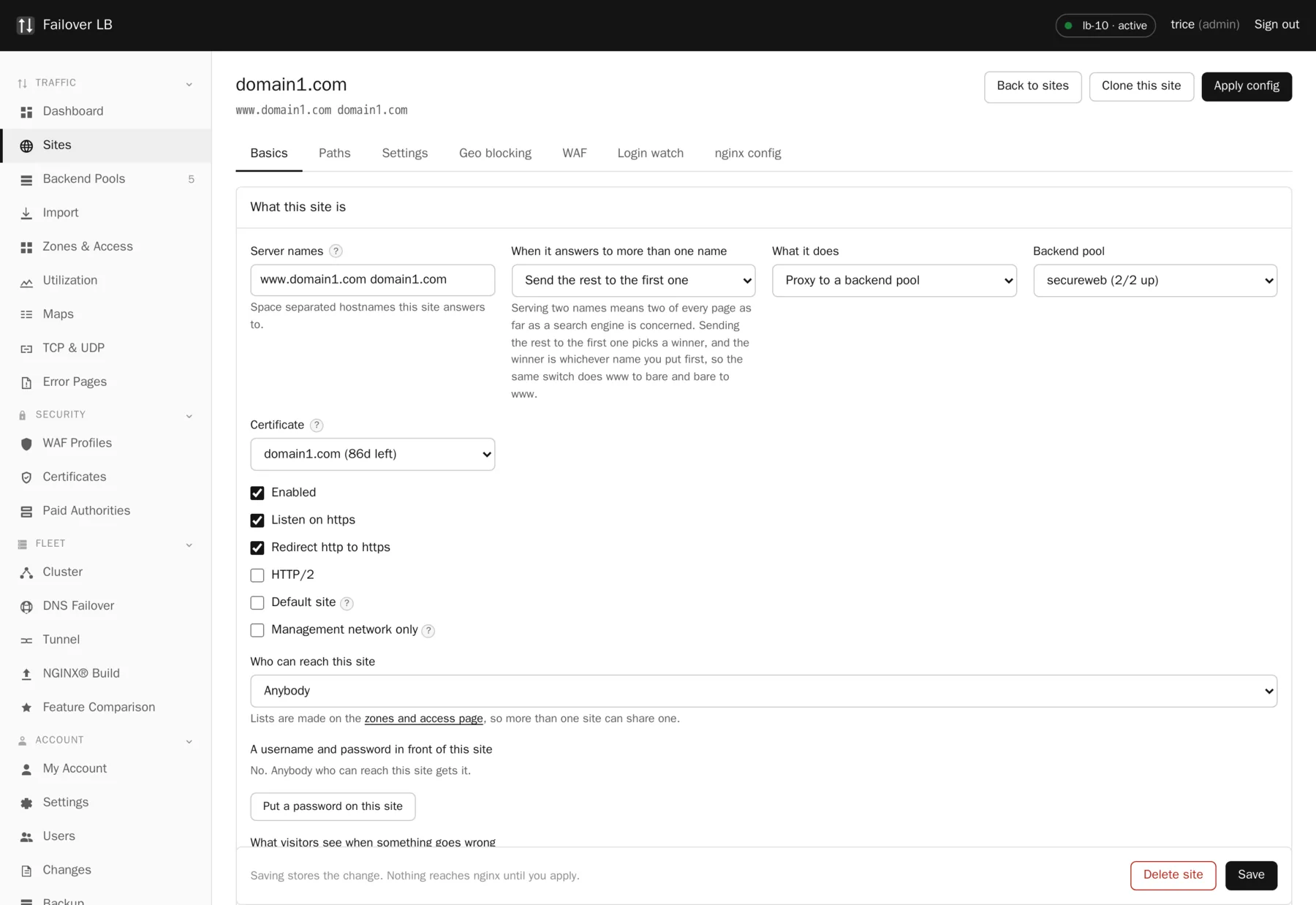
What a site is
In nginx terms a site is a server block. In this GUI it is a form. You give it the
hostnames it answers for, say what it should do with a request, and pick a certificate. The
software writes the config file, tests it on every node, and reloads.
Sites and pools are kept apart on purpose. Several sites can share one pool, and you can swap the pool behind a site without touching anything else about it. That separation is what makes a blue and green deployment a two second change rather than an edit.
Server names
Server names decide which requests reach this site. nginx matches the Host header from the browser against the list. This is the first thing to check when a site is not being used, and it is the setting people get wrong most often.
| What you type | What it matches |
|---|---|
www.example.com | That exact name and nothing else. |
www.example.com example.com | Both names, on one site. |
*.example.com | Any subdomain. Useful with a wildcard certificate. |
_ | The catch all, used by the default site. |
The three modes
| Mode | What it does | Use it for |
|---|---|---|
| Proxy | Passes requests to a backend pool and returns the answer. | Any application. This is what most sites are. |
| Static | Serves files straight off the disk of the load balancer. | A holding page, a downloads folder, a status page. |
| Redirect | Sends visitors to another address, permanently or temporarily. | An old domain you want to keep working. |
www and the bare domain
Most people want both example.com and www.example.com to work, with one
of them being the real address. Put both names on the site, put the one you want to win first,
and turn on the setting that sends the rest to the first name.
Serving two names as if they were two sites means a search engine sees two copies of every page. Picking a winner fixes that, and the same switch does www to bare or bare to www depending on which one you listed first.
Worth knowing
The forward is written so it does not get in the way of certificate renewal. Doing this by hand in nginx usually does get in the way, and the certificate then quietly fails to renew about two months later, long after anybody connects the two events.
Turning on https
Turn on Listen on https, pick a certificate, and leave Force https on so anybody arriving on the plain address is sent to the secure one.
Take care
Do not turn off Listen on http. Certificate renewal needs port 80 to answer. Force https already means no real visitor stays on the plain address, so the only thing you gain by switching port 80 off is a certificate that stops renewing.
With no certificate attached, the https block is left out of the config altogether. That is deliberate: nginx refuses to start at all if it finds a TLS listener with no certificate, so writing one anyway would take the whole box down rather than just that one site.
The default site
One site can be the default. It answers anything whose Host header does not match another site. Without one, nginx uses whichever server block it happened to load first, which is usually not what you meant and moves around as you add sites. People who find your server by its IP address then get a random one of your sites. A default that returns a plain 404 keeps that tidy.
When the form is not enough
Every site has a tab where you can write the whole server block by hand. The forms stop driving
that site while it is in that mode, so the two cannot fight over the same file. Hand written
config goes through exactly the same checks as everything else: nginx tests it on this node
before it is even saved, and at apply time every node stages it and runs nginx -t
before any node goes live.
The worst case is a config that refuses to save. It is not a fleet that stops serving.
Turning a site off
Enabled is a switch, not a delete. A disabled site is left out of the configuration entirely at the next apply and can be put back with one click. Deleting removes it at the next apply and leaves its pools alone, because other sites may be using them.
Common questions
Can two sites answer for the same hostname?
No, and the software will not let you create the second one. Two server blocks claiming the same name is a config where the answer depends on load order, which is a very confusing outage to debug later.
Do I need one site per subdomain?
Not if they behave the same way. Put several names on one site. Make separate sites when they need different pools, certificates, access lists or error pages.
What happens to a site with no certificate but https turned on?
The https listener is left out for that site and everything else keeps working. The site page tells you why.
Step by step instructions
The how to section has searchable, task shaped answers. Search it for site.
Related features
Backend pools
The list of servers behind a site, and how traffic is shared.
Read morePath routing
Send /api one way and everything else another.
Read moreLet's Encrypt certificates
Free certificates that renew themselves, in a cluster.
Read moreStatic files and redirects
Serve files off disk or forward an old address.
Read more