Traffic
Path routing
A site sends everything to one place until you tell it otherwise. Paths are how you split it: one part of a site handled by a different set of servers, or served straight from disk, or redirected somewhere else.
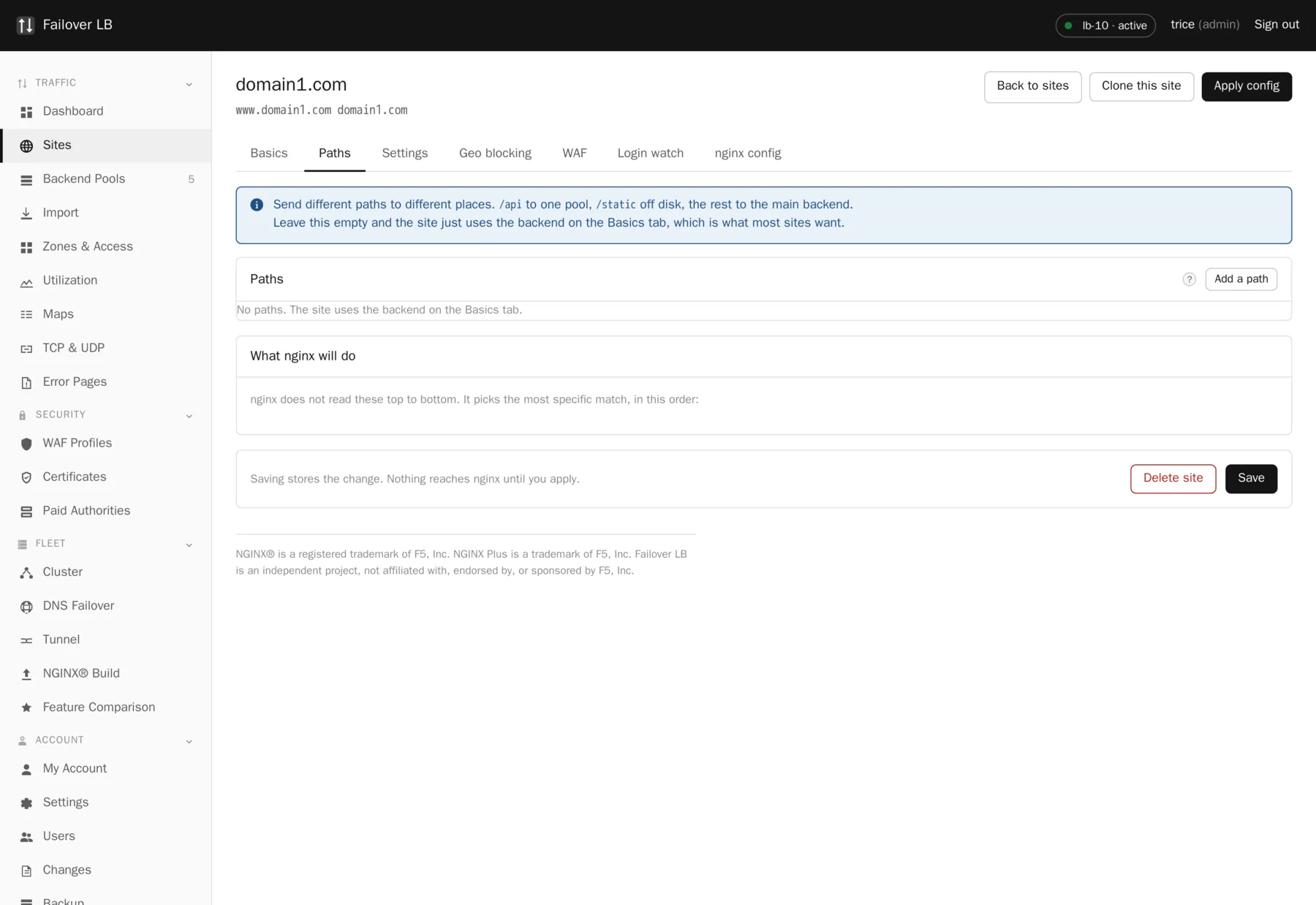
Adding a path
Open the site, find the Paths section, press Add a path, type the path such as /api,
and choose what it does. The choices are the same three a site has: send it to a pool, serve
files, or redirect.
How a path is chosen
nginx does not read these top to bottom. It picks the most specific match. A request for
/api/users matches a path of /api rather than the site's general rule,
because /api is more specific. You do not have to put them in any particular order.
| Match type | What it matches | When |
|---|---|---|
| Prefix | Anything starting with this. | Almost always. This is the default. |
| Exact | Only that one address. | A single endpoint, such as a health page. |
| Regular expression | A pattern. | File extensions and anything genuinely irregular. |
The one that catches everybody
As soon as a site has any paths at all, it stops using the single backend on the Basics tab and serves only what is listed under Paths. A request that matches nothing gets nginx's own 404. If you want the rest of the site to keep working, add a path of / to catch everything else.
Taking the path off before passing it on
This setting is worth understanding because getting it wrong produces a confusing failure.
| Setting | What your application receives |
|---|---|
| Off | A request for /api/users arrives as /api/users. |
| On | The same request arrives as /users. |
Which you want depends on the application. If it was written knowing it lives under
/api, leave the setting off. If it expects to be at the top level and you are
mounting it under a prefix it has never heard of, turn it on.
The giveaway
A page that loads but has no styling. The page itself was found and the stylesheet was not. It looks like a problem with the appearance and it is really the path. This is also the most common reason people think the management screen behind a prefix is broken.
What a path can override
A path is not only a destination. It can have its own access list, its own error page template, its own rate limit and its own cache. That is what lets you rate limit only the login page, or lock down only the admin area, and leave everything else alone. That is nearly always what you actually want.
Common questions
Can a path point at a folder on disk?
Yes. Set the mode to static and give it a folder. That is how you serve downloads or a maintenance page from the load balancer itself.
How many paths can one site have?
As many as you need. They are rendered as location blocks and nginx picks the most specific match, so the count does not slow anything down noticeably.
Do paths work for TCP and UDP services?
No. Paths are a web idea. A stream service is a port and a pool.
Step by step instructions
The how to section has searchable, task shaped answers. Search it for path.
Related features
Sites
One hostname and every rule that goes with it.
Read moreBackend pools
The list of servers behind a site, and how traffic is shared.
Read moreError pages
Replace the bare nginx error with something of your own.
Read moreAccess lists
Who may reach a site, by address, with a password on top.
Read more