Fleet
Clustering
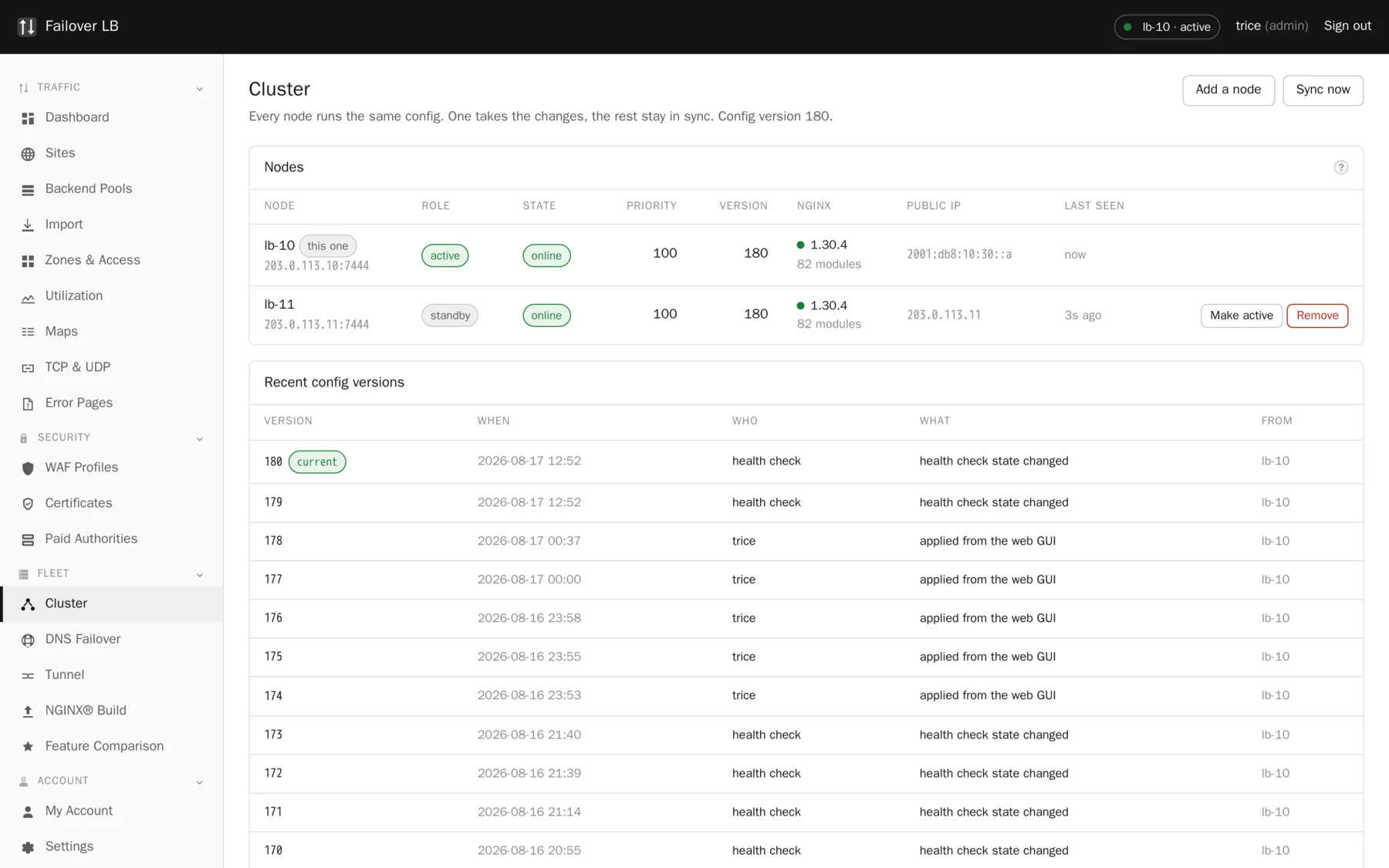
Two or more servers that behave as one. One takes the changes, all of them serve traffic, and every one of them holds the entire configuration on its own disk.
Why there is no controller
A central controller is one more thing that has to be up before you can manage your load balancers, which is exactly backwards. When something is broken at three in the morning you still need to get in and fix nginx.
So every node runs the same container, holds a full copy of the configuration in its own SQLite database, and can be signed into on its own. Losing a node loses that node.
Active and standby
At any moment one node is active and the rest are standby. Both hold identical configuration and both are serving traffic the whole time.
Standby does not mean idle
This catches people out. The standby is not a spare in a cupboard. It is a working server that happens not to be the one you make changes on. If you find a button grayed out, check the top right of the screen: you are probably looking at the standby, and the other node is the one taking changes.
How the active node is chosen
Priority decides, and higher wins. Two things stop this going wrong:
- A node will not make itself active unless it can see more than half the fleet. A network split cannot leave you with two nodes both taking writes.
- Forced standby stops a node becoming active without removing it from the fleet. Use it on a machine you are working on, and remember to turn it off afterwards, because a fleet where one node can never take over is a fleet with no failover and nothing will remind you.
Staying in step
Nodes send each other a heartbeat every few seconds saying what they are and which configuration version they are running. If one stops hearing from another for long enough, it decides that node has gone.
Configuration cannot drift through normal use, because every apply goes to every node before any node uses it. A node that was switched off during a change gets it queued and replayed when it comes back.
Adding a node
On a node that is already running, go to Cluster and press Add a node. You get a command with a token in it. The token works once and expires in two hours.
sudo git clone https://git.failoverlb.net/failoverlb.git /data/docker/failoverlb \
  && sudo /data/docker/failoverlb/failoverlb_setup.sh \
       --join 10.0.0.10:7444 --token <token>
The new node makes its own key pair, sends a signing request with the token, gets back a certificate signed by the cluster authority, and then asks for the whole roster so it learns about every other member rather than only the one it joined through. It comes up as standby and pulls the current configuration, so you never set your sites up twice.
Never copy the install folder between machines
It contains an environment file with that node's identity and its secret key. The second machine would come up believing it is the first one. The installer refuses to join when it spots this, and it is much easier not to do it. Install fresh on each box.
Why SQLite
Every node keeps its own full copy and the nodes sync with each other. Adding Postgres would mean one more service that has to be healthy before you can manage your load balancers, and it would become the thing that fails first.
Three nodes and beyond
Nothing about the design is limited to two. A third node joins exactly the same way. Quorum works better with an odd number, so three is a genuinely better shape than two if you have the machines.
Common questions
What happens if the peer link goes down but both nodes are up?
Neither can see more than half the fleet in a two node cluster, so neither promotes itself over the other. Both keep serving traffic with the configuration they have. You fix the link and they catch up.
Can nodes be in different data centers?
Yes, and that is a good reason to use DNS failover as well, since two nodes in different places cannot share a floating address.
Do all nodes need the same nginx build?
They should. Two nodes on different builds is a fleet where a config can work on one and be refused by the other, and the apply fails with an error that points at your config rather than at the real cause. The build page shows both side by side.
Step by step instructions
The how to section has searchable, task shaped answers. Search it for cluster.
Related features
Two phase apply
Nothing goes live until every node says the config is valid.
Read moreActive and standby
One node takes changes, both serve traffic.
Read moreDNS failover and GSLB
Hand out the address of a node that is actually up.
Read moreHow the software is hardened
An unprivileged container and a small root agent.
Read more