Certificates and TLS
Let's Encrypt certificates
Getting a free certificate on one server is a solved problem. Getting one on a pair of load balancers, where which node owns the public address changes when you fail over, is where most setups quietly break about two months later.
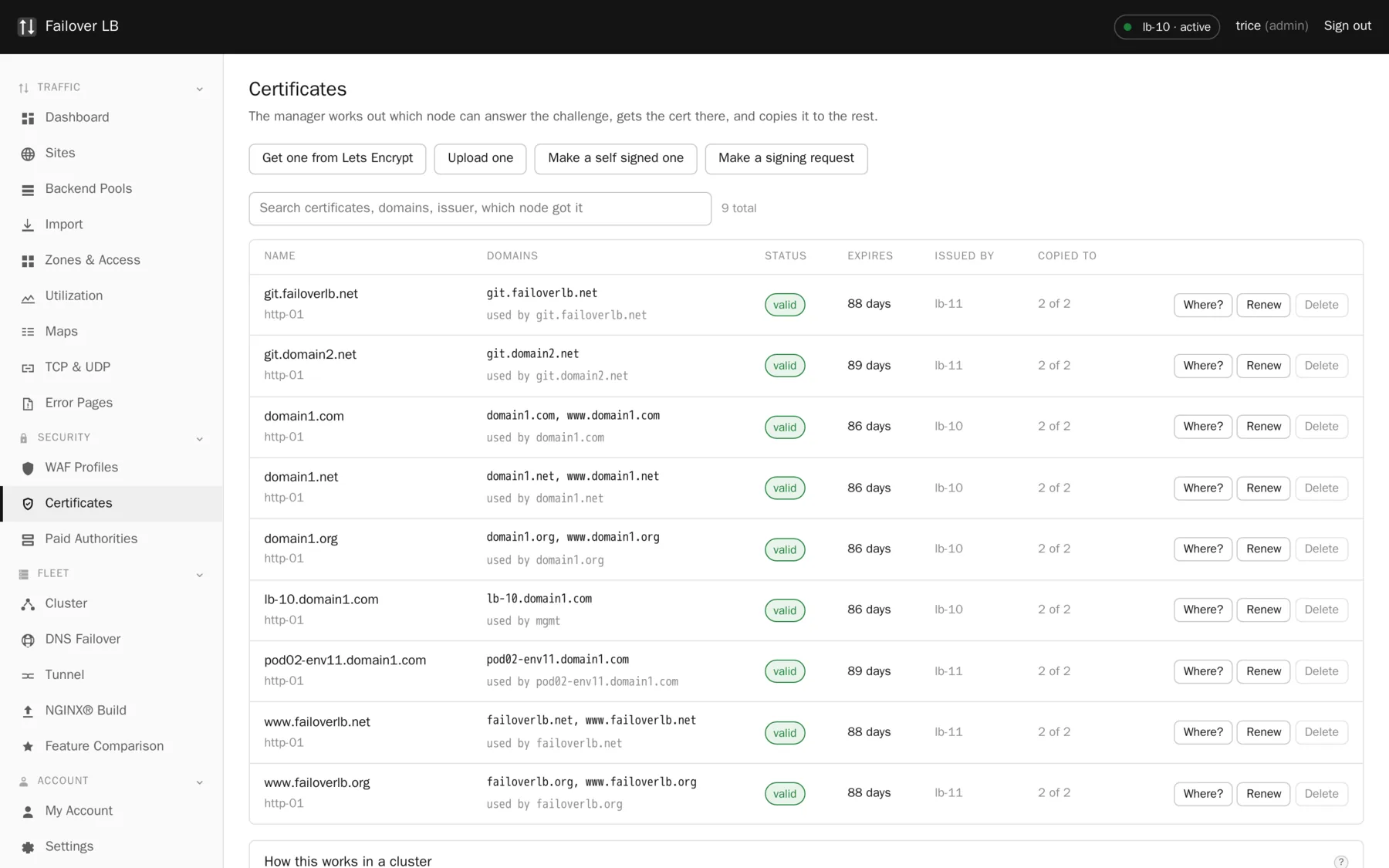
Why a cluster makes this hard
An http-01 challenge works by the certificate authority asking for a file over port 80 at the name you are claiming. Only the node that currently owns that public address can answer. Which node that is changes when you fail over, and nothing about your certbot setup notices.
The usual result is a timer that fires on every box, succeeds on one and fails on the others, and fills somebody's mailbox with failure mail until the real failure is buried in it.
How it is done here
- At every renewal, the name is looked up against public DNS. Not cached, not assumed, looked up.
- The answer is compared against what each node reports its own public address to be.
- The node that matches is the one that runs certbot, because it is the only one the authority can reach.
- The challenge token is written to every node before validation starts, because the authority picks which address it connects to and you do not get a say.
- The issued certificate and key are copied to every node. The key stays at mode 0600 and owned by root.
The certbot systemd timer is switched off during installation, on purpose. Renewal is driven from the manager, which knows which node can answer.
Getting your first one
- Point the name at one of your load balancers in DNS, and wait for that to be true everywhere.
- Make sure port 80 is open from the internet and the site answers on it.
- Go to Certificates, press Get one from Let's Encrypt, and type the domain. Add more names if one certificate should cover several.
- Press Request. It takes about thirty seconds.
- Open the site, choose the certificate, turn on Listen on https and Force https, then apply.
Staging is on by default and that is deliberate
Let's Encrypt runs a practice service alongside the real one. The real one has hard limits: five certificates a week for the same set of names, with no way to appeal. Everybody gets the setup wrong at least once. Work it out against staging, then turn staging off in Settings and issue for real.
Renewal
Automatic, thirty days before expiry by default. That leaves a fortnight to notice a failure and still have plenty of time to fix it. You do not need a calendar reminder, and if a renewal does fail, the certificate list says so and it keeps trying, so one bad night does not become an outage a month later.
When http-01 will not work
Two cases need dns-01 instead, where the authority asks you to put a record in your DNS.
- A wildcard certificate covering
anything.example.com. It cannot be done any other way. - A name that is not reachable from the internet at all, such as an internal service that still wants a trusted certificate.
Put your DNS provider credentials in Settings and the manager does it for you. They are stored encrypted and never shown again.
When it does not work
| What you see | Usual cause |
|---|---|
| Validation timed out | Port 80 is closed, or the name does not point at any of your nodes yet. |
| 404 on the challenge path | Listen on http was turned off for the site, or a redirect is catching the ACME path. The generated config excludes it, so this usually means hand written config. |
| Rate limited | Five failed goes at the real service in a week. Switch to staging, fix it there, then switch back. |
| Browsers refuse the certificate | It came from staging. Turn staging off in Settings and issue again. |
| Issued but only on one node | The other node was unreachable during replication. The certificate page names it. Fix the peer link and reissue. |
Common questions
Do I need an email address?
No. Let's Encrypt will issue with no contact address at all. The only thing you give up is the mail they send when something is about to expire, and the dashboard already warns you weeks ahead. Set one anyway if you have a shared mailbox, and do not use somebody's personal address, because certificates outlive jobs.
How many names can one certificate cover?
Let's Encrypt allows up to 100 names on one certificate. That said, one large certificate means one failure takes every one of those sites with it. Several smaller ones fail more gracefully.
What happens during a failover mid renewal?
The next attempt works it out again from current DNS. Nothing is remembered from the last renewal about which node should do the work.
Can I use a certificate I already bought instead?
Yes. Upload it, or set up the supplier as a paid authority and have it renew automatically like the free ones.
Step by step instructions
The how to section has searchable, task shaped answers. Search it for certificate.
Related features
Certificate lifecycle
Issue, renew, replicate and retire, without a calendar.
Read morePaid certificate authorities
Buy from DigiCert or Sectigo and still automate it.
Read morePost quantum key exchange
X25519MLKEM768 first, classic curves behind it.
Read moreTLS settings
Protocols, ciphers, stapling and HTTP/2 or HTTP/3.
Read more