Fleet
Import an existing nginx config
If you already run nginx, you do not have to type all of it in again. This reads your existing configuration and turns it into sites and pools. It is usually the first thing somebody does here.
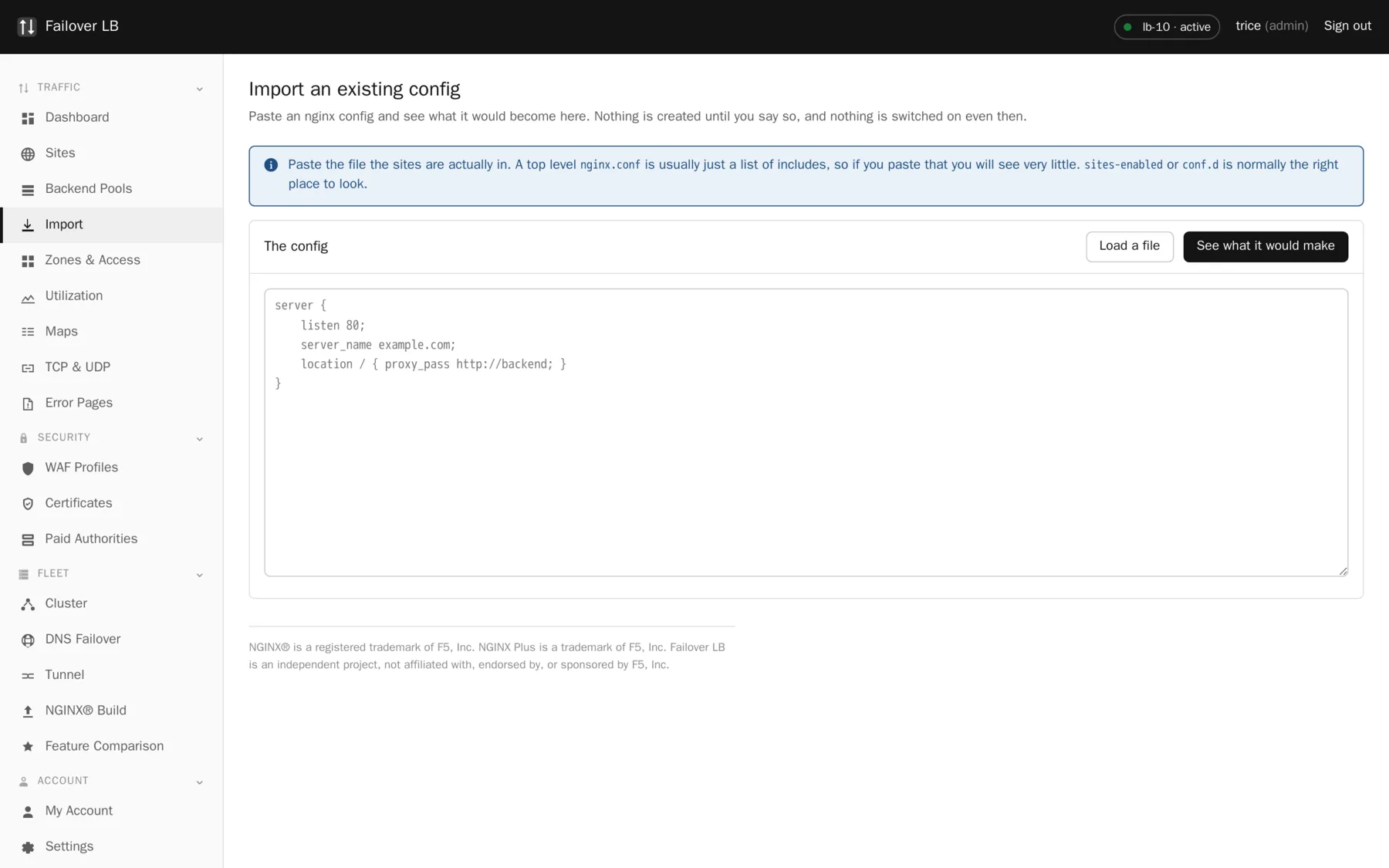
Nothing happens until you say so
Pasting a configuration in and pressing the preview button writes nothing at all. It reads your text, works out what it would make, and shows you. You can point it at your live configuration purely to see what this software makes of it, and then walk away.
Even after you import, nothing is live. Everything arrives switched off and unapplied, so you can look it over, fix anything that came across oddly, and only then turn it on.
Which file to paste
Not the top level nginx.conf
A top level nginx.conf is usually just a list of includes, so pasting it shows you almost nothing and looks like the import is broken. On most systems the sites live in sites-enabled or conf.d.
cat /etc/nginx/sites-enabled/*If your configuration is split across several files, paste them one after another into the same box, or import them one at a time. Order does not matter.
It is a real parser
Not a set of regular expressions. It is a tokenizer and a parser, and it has been run against realistic configuration specifically to handle the things that break naive tools:
servermeaning two different things depending on context.- Braces and semicolons inside quoted strings.
- Round tripping without losing hand written directives.
Reading the preview
| Section | What it holds |
|---|---|
| Pools | Every upstream block with its servers. Settings such as backup and weight come across with them. |
| Sites | Every server block, with its names, ports, whether it uses https, and its paths. Under each is a plain list of what was done and why. |
| Left alone | Anything that could not be turned into a setting. This is the section to read properly. |
Each entry has a tick box. Untick anything you do not want, which is often an old site you have been meaning to retire.
What the notes under a site mean
| A note like this | Means |
|---|---|
| The plain http block only redirected to https, so it became the force https switch | You had two server blocks for one name, one of which only forwarded to the other. That is one site here with a switch turned on, not two sites. |
| Paths were brought over, so each keeps its own backend | Your location blocks became paths on the site. |
| Some directives had no setting here, so they were kept as custom config | Anything without a box on the screen is preserved as raw configuration on the site rather than dropped. |
| No certificate was attached | Always happens, and is not an error. See below. |
Certificates are never brought across
Your configuration names certificate files by path. Those paths point at files on the machine the configuration came from, which is not necessarily a machine this software manages, and the private keys are not in the text you pasted anyway.
So a site comes across knowing it uses https and with no certificate chosen. Afterwards, either get a new one from Let's Encrypt, which is usually easiest, or upload the existing certificate and key.
Warnings you may see
| Warning | What to do |
|---|---|
| Looks like a proxy but no backend could be worked out | The proxying is inside the paths rather than on the server itself, which is fine. Check the paths have their pools and leave the site's own backend empty. |
| A name is already used by an existing site | Two sites answering for one name is a problem, so the import will not quietly make one. Rename or untick. |
| An upstream was referred to but never defined | Your config pointed at a pool declared in a file you did not paste. Paste that file too and preview again. |
What is deliberately left behind
- Anything about how nginx itself is built or started, since that is managed from the build page.
- Log formats and file paths, because logs are handled per node here.
- Certificate and key files, as above.
Anything genuinely not understood is listed in Left alone with the reason. Nothing is dropped silently. That is the point of that section and it is why it is worth reading rather than skipping to the import button.
Do not import and apply in one go on a busy day
The import brings everything across switched off precisely so you can read it first. Applying immediately gives up that safety for no gain at all.
Common questions
Will it understand my map blocks and rate limits?
The parser reads them. Whatever maps to a setting becomes one, and anything that does not is kept as raw configuration on the site rather than lost.
Can I import from HAProxy or Apache?
No. This reads nginx configuration.
Is there a way to see what it would produce without importing?
Yes, that is exactly what the preview button does, and it writes nothing.
Step by step instructions
The how to section has searchable, task shaped answers. Search it for import.
Related features
Sites
One hostname and every rule that goes with it.
Read moreBackend pools
The list of servers behind a site, and how traffic is shared.
Read moreLet's Encrypt certificates
Free certificates that renew themselves, in a cluster.
Read moreTwo phase apply
Nothing goes live until every node says the config is valid.
Read more